

2.45 MB
Android 8.0+
126
Universal
Verified safeScanned with ClamAV, APKiD, and Quark-Engine. No threats detected.
Screenshots
Description
Customizable Layered Internet Navigation Tool
A privacy-focused Android browser built on Android WebView — no Google telemetry, no tracking, no compromises.
Clint is a free, open-source Android browser that puts privacy control in your hands. It blocks trackers and analytics at the network level, supports DNS over HTTPS, isolates incognito sessions completely, and ships with zero Google telemetry baked in.
Features
🌐 Browser Core
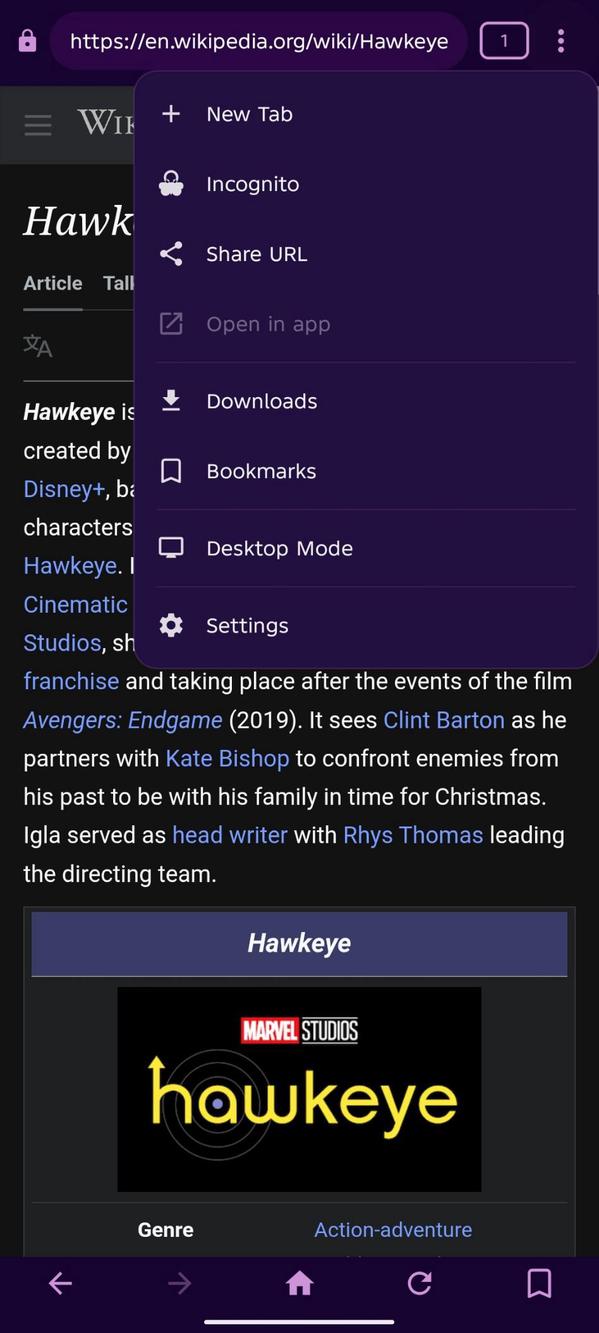
Full multi-tab browsing with a bottom sheet tab switcher
Incognito mode — no cookies, no cache, no history saved
Pull-to-refresh with smart nested scroll detection
Scroll-hide toolbar and navigation bar — bars slide away while scrolling and return on scroll up, configurable in Settings
Hide Status Bar option for full-screen browsing (off by default)
Desktop Mode toggle with JavaScript injection for improved site compatibility
Address bar with select-all on focus
Back, forward, refresh, and home navigation
Intent support — links open installed apps (YouTube, Spotify, etc.) with a prompt to choose between opening externally or staying in-app
"Open in ___" option in the menu (grayed out when no app is available)
Full-screen video and media support
📎 Uploads
Upload support for images, videos, audio, and recordings directly from the browser
🔖 Bookmarks
Save any page with a single tap from the navigation bar
Bookmark icon updates live to reflect the saved state of the current page
View, open, and delete bookmarks from a dedicated screen
All bookmarks are stored locally on your device — never synced or uploaded
🔒 Privacy & Security
Tracker blocking — 16+ known analytics and ad domains blocked at the network level
Third-party cookie blocking — prevents cross-site tracking
Generic User-Agent — reduces browser fingerprinting
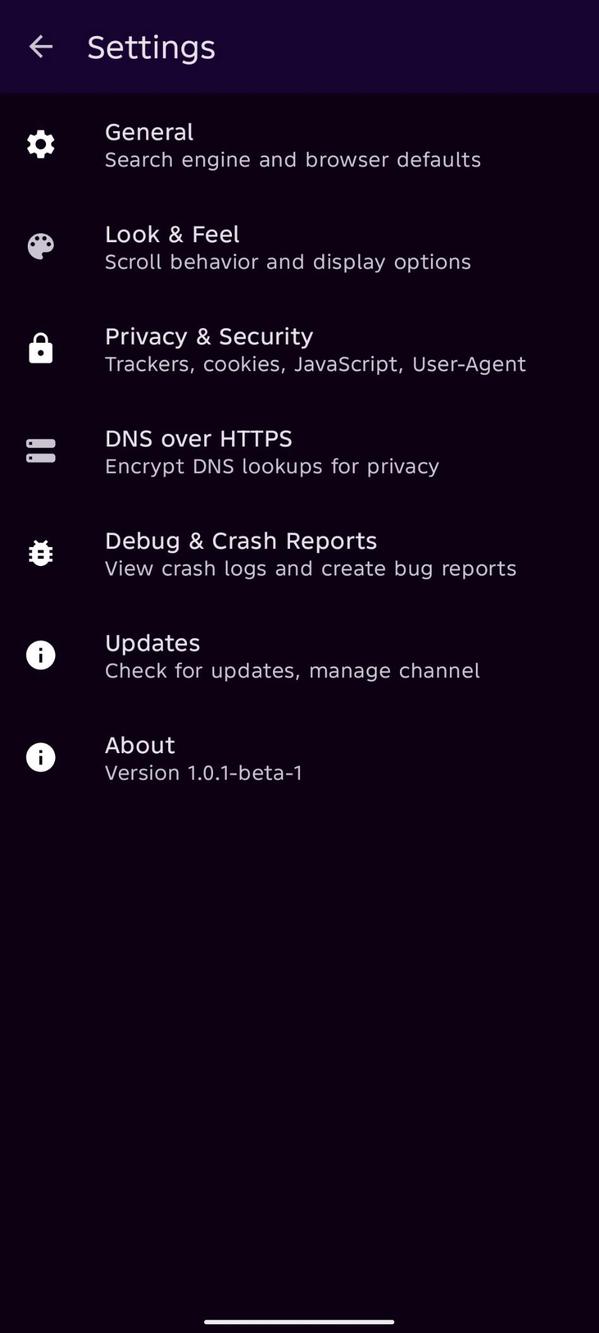
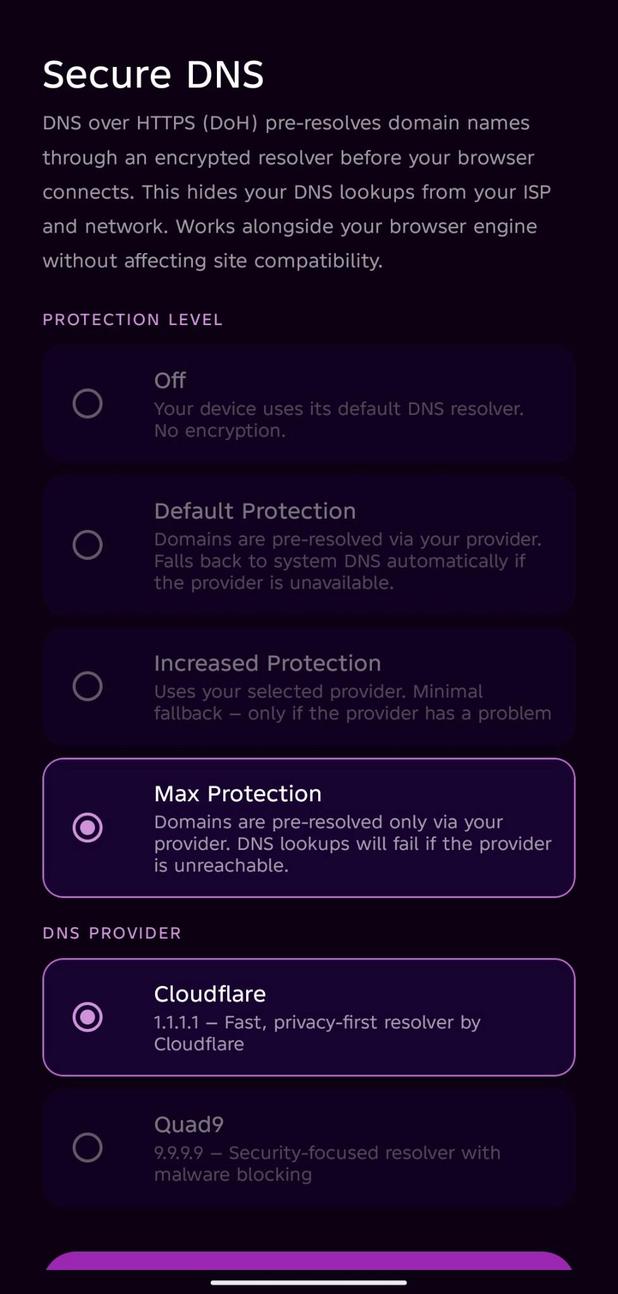
DNS over HTTPS (DoH) — four protection levels with Cloudflare and Quad9 support
SSL enforcement — invalid certificates are always rejected, no exceptions
Incognito isolation — separate cookie, cache, and DNS context per incognito tab
🔍 Search Engines
DuckDuckGo (default)
Brave Search
Google (with privacy warning)
Changeable at any time from Settings → General
⬇️ Downloads
Custom download engine built on OkHttp — not the system DownloadManager
Real-time progress with percentage and file size
Cancel downloads in-app or from the notification
Open completed files directly from the downloads screen
Install downloaded APK files directly from the downloads screen
Automatic duplicate filename handling
🎨 Look & Feel
Dedicated Look & Feel section in Settings for web appearance and display options
Scroll-hide bars and status bar visibility configurable independently
🔄 Updates
In-app update checker for Stable and Beta channels
Updates install directly in-app with a progress dialog
Architecture-aware APK download links
Optional check on launch, with an option to skip on metered/mobile data connections
View Changelog option in update settings
🐛 Debug & Crash Reports
Local crash log viewer — all data stays on your device, nothing is transmitted
Auto-captures stack traces, device info, and timestamps on crash
Copy crash logs and pre-filled GitHub issue template directly from the app
Reports auto-deleted after 7 days
Rate this app
Ratings & reviews
No reviews yet.