

110.29 MB
Android 11.0+
11
armeabi-v7a, armeabi, x86, x86_64, arm64-v8a
Verified safeScanned with ClamAV, APKiD, and Quark-Engine. No threats detected.
Screenshots
What's New
Improve performance for synchronization
Improve stability
Fix some issues
Description
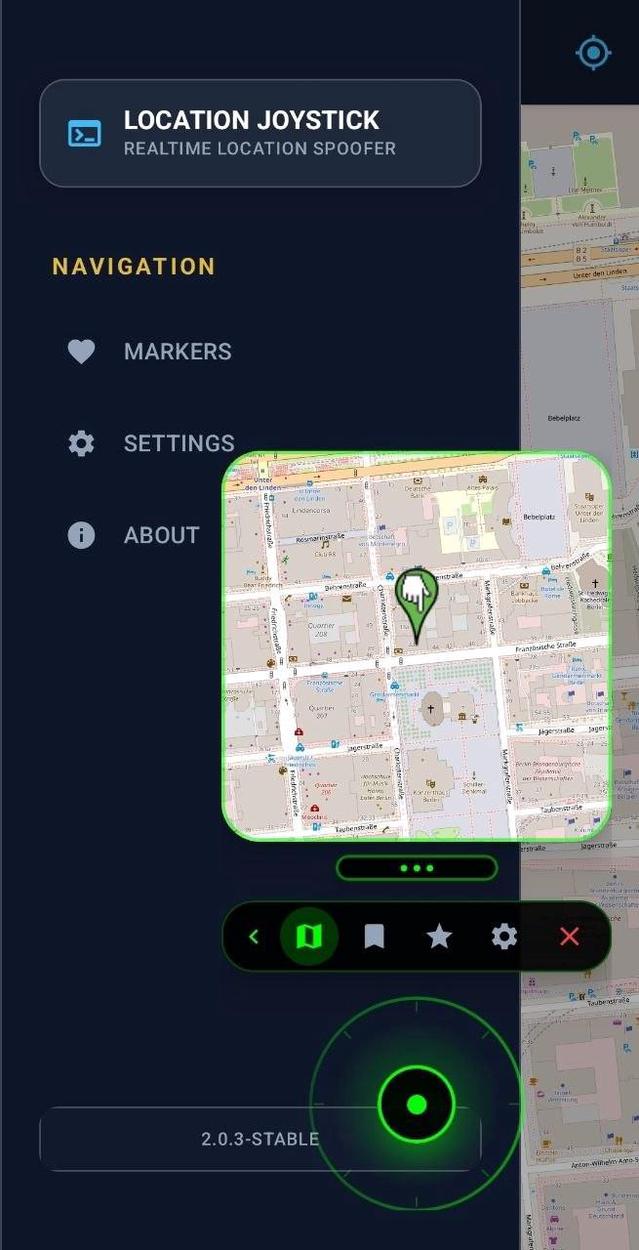
Location Joystick is an Xposed module designed for location simulation. It provides a joystick overlay and various location-related settings to enhance the simulation experience.
Features
- Joystick Overlay: Navigate in real-time with a customizable joystick.
- Location Simulation: Mock your GPS location with precision.
- Favorites: Save and manage your favorite locations for quick teleportation.
- Customizable UI:
- Adjust joystick and minimap transparency (alpha).
- Configurable joystick speed.
- Choose Skin for Joystick
Requirements
- Android: 10+ (Min SDK 30)
- Root: Required for Xposed Framework.
- Xposed Framework: LSPosed is recommended.
Installation
1. Install the Location Joystick APK.
2. Open your Xposed Manager (e.g., LSPosed).
3. Enable the Location Joystick module.
4. Select the target apps in the module's scope.
5. Reboot your device (or force stop the target app if using LSPosed).
6. Open Location Joystick and grant the necessary permissions (Overlay, Location).
Usage
1. Open the app and set your desired starting location on the map.
2. Configure your simulation settings (Speed, Accuracy, etc.).
3. Start the service to show the joystick overlay.
4. Open your target app and use the joystick to move.
Disclaimer
This tool is for educational and development purposes only. Use at your own risk.
License
This project is licensed under the GPL-3.0 License.
Rate this app
Ratings & reviews
No reviews yet.