
16.12 MB
Android 13.0+
18
arm64-v8a, armeabi-v7a
Verified safeScanned with ClamAV, APKiD, and Quark-Engine. No threats detected.
Screenshots
Description
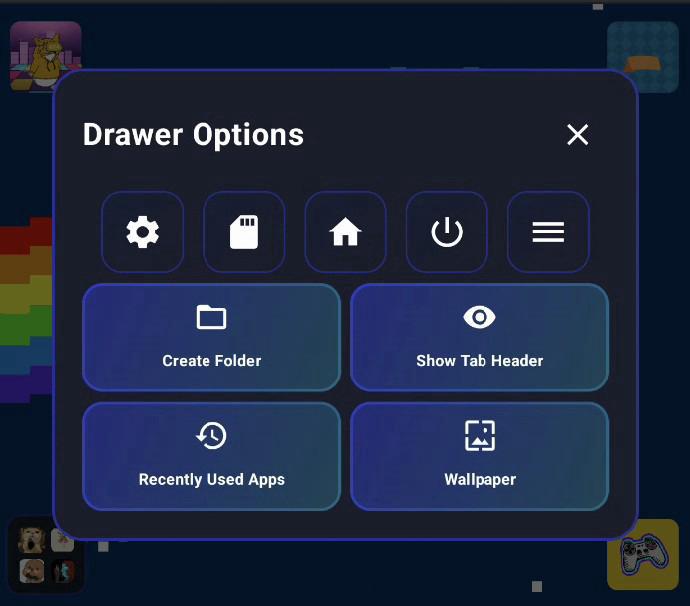
Designed with dual-screen devices in mind, Jarngreipr is a clean, powerful launcher that lets you decide exactly where your apps open and much more.
Járngreipr is a modern, highly customizable launcher built with Jetpack Compose that combines beautiful aesthetics with powerful functionality. Optimized for devices like the AYN Thor, it excels on bottom screens and dual-screen setups while working perfectly on any Android device.
✨ Features
🏠 Multiple Home Screen Modes
Apps Tab - Traditional grid layout with apps only
Apps & Widgets Tab - Combine apps and Android widgets on the same page
App Drawer - Full app list with instant search and filtering
Multiple Pages - Create unlimited home screen pages with different layouts
Page Customization - Set different modes for each page independently
📱 Advanced App Management
Folder Support - Organize apps into folders with custom names
Free-Positioned Apps - Drag apps anywhere on the screen, not just in grid cells
Drag Lock - Lock app positions to prevent accidental moves
App Visibility Control - Show/hide specific apps on each page
Custom Icons - Set custom icons for individual apps
App Display Preferences - Choose between icon only, name only, or both
App Size Control - Adjust app icon sizes per your preference
Recent Apps - Quick access to recently used applications
Quick Delete - Batch uninstall multiple apps at once
🧩 Widget Support
Android Widgets - Add resizable Android widgets to any Apps & Widgets page
Widget Picker - Browse and add widgets from all installed apps
Resize Mode - Dynamically resize widgets to fit your layout
Widget Positioning - Place widgets anywhere on compatible pages
🎮 Gamepad & Control Features
Full D-Pad Navigation - Complete gamepad support throughout the UI
Control Pad Settings - Customize gamepad button mappings
Joystick Mode - Configure analog stick sensitivity and behavior
Button Mapping - Map specific gamepad buttons to custom actions
Focus Management - Intelligent focus handling for seamless navigation
On-Screen Keyboard - Built-in keyboard that doesn't overlap your apps
Back Button Shortcuts - Configure custom back button actions
🎨 Appearance & Themes
6 Built-in Color Themes
Pink & Violet
Blue & Yellow
Green & Cyan
Purple & Orange
Red & Blue
Magenta & Lime
Custom Theme Creator - Design your own themes with custom primary and secondary colors
OLED Mode - True black backgrounds for OLED displays to save battery
Icon Pack Support - Use any installed icon pack (Lawnicons, Arcticons, etc.)
Icon Pack Browser - Preview and switch between icon packs in-app
Theme Sharing - Share your current theme with nearby devices via Bluetooth (Ping)
Rate this app
Ratings & reviews
No reviews yet.