

Size
9.47 MB
Android
7.0+
Downloads
1,820
Security Scan
Verified Safe
✓ Scanned with ClamAV, APKiD, and Quark-Engine
Screenshots
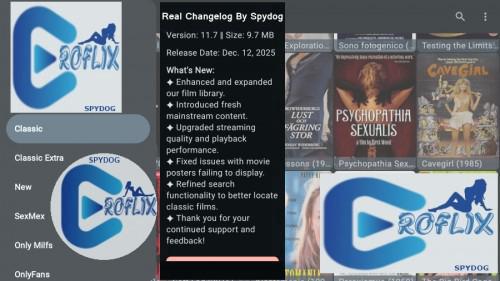
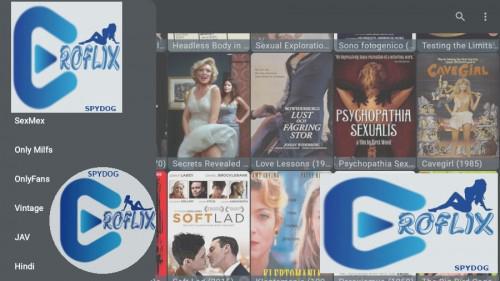
What's New
Adaptive Mod Info By Spydog:
Banner ads disabled
Back button works 100%
Signature kill optional
Start.io Services disabled
All unity ad activity disabled
All startapp ad activity disabled
Request install packages disabled
Advertising ID permission disabled
All chartboost ad activity disabled
All access adservices activity disabled
Custom Adaptive Support Added For Limited Devices
Bypassed image offset protection best possible way
Launch Directly From Home Screen Apps
No Longer Have To Launch Inside System Settings
©️Spydog
Description
Eroflix v11.7 [🔞 Adult Content] 🔞 [Custom Adaptive MOD] [TV Devices]
⁉️ ARM7 + ARM64 — TV Devices —
Banner & Non Banner Support ✅ 🆗
👉🏽 Without Sig Kill 〽️
—————————————————————
🅰️ Clear 3rd Party Launcher Data If Needed ✨ ✅
🅱️ To Show Proper New Banner (New Method) ✨ ✅
—————————————————————
Description :
Stream and Download Erotic Cinema and Video Movies for Free on your Android.
EroFlix is a BROWSER, customized and preconfigured to fetch and index erotic, explicit and softcore cinema and video movies from the 70s till recent times with their respective valid best quality streams to stream or download using your favourite app on your Android mobile device for Free.
Poweful integrated video player with No-Ads.
——————————————————————
Instructions/ Guides (for All Devices)
DATA FETCHED FROM FREELY, PUBLICLY ACCESSIBLE INTERNET RESOURCES ONLY!
If you have any advice or idea, please, contact us from inside the app.
All Mods Tested By Over 120+ Users With 100% Clean Install On Multiple Diff TV Devices For 10+ Hours A9 Thru A14 + 11 Diff Rooted Boxes / Multiple Diff Phones/Tablets For 10+ Hours A8 Thru A14 + 15 Diff Mobile Root Roms
Favorites Works At Release Time
Search Works At Release Time
Thank You To All My Testers
Mouse Toggle Needed
The Easiest Way To Use A Mouse On All Google TV Onn Devices & Most Other Google TV Devices:
1)Buy OTG Cable If Not Using Onn Pro Box Or Box With USB Port
Enter aftv.news/2624849 Into Browser URL
2 Pack
Enter aftv.news/8604959 Into Browser URL
2)Buy Cheap Wireless Mouse With USB Dongle Receiver
$8-$10 Walmart
3)Must Disable Developer Mode All Google TV Onn Devices/Other Google TV Devices
4)Insert Usb Dongle Into Usb Port On Onn Pro Box/Other Boxes With Usb Port & Restart Box!
Turn On Mouse & Witness The Mouse Magic.....  
5)For $20 Onn Box/$15 Onn Stick/Other Google TV Devices Without Usb Port:
Remove Power From Device Not Wall & Hook Up OTG Cable, Insert Usb Dongle Into OTG Cable & Reconnect Power To OTG Cable
After Device Restarts Turn On Mouse
Witness The Mouse Magic.....  
How To Use Mouse On A9+ Gen 3 FireStick/4k Max FireStick:
1)Buy OTG Cable
Enter aftv.news/2624849 Into Browser URL
2 Pack
Enter aftv.news/8604959 Into Browser URL
2)Buy Cheap Wireless Mouse With USB Dongle Receiver
$8-$10 Walmart
3)Go To FireStick Settings Gear Icon > My Fire TV >
Select Sleep...Wait 15 Seconds
4)Remove Power From FireStick Not Wall & Plug In OTG Cable & Connect Power To OTG Cable
5)Wait For FireStick To Boot Up....
Insert Usb Dongle Into OTG Cable & Turn On Mouse
Select Any App To Use
Witness The Mouse Magic.....  
Alternative Android Phone Mouse For Some TV Devices Included In Downloads
>How To Use Mouse From Phone To Some TV Devices:
*Set Orientation Must Be Disabled On TV Devices
Enter IP Address Of TV Device Into App On Phone
Check Popup Box On TV Device & Follow Prompts
Now Have A Working Android Phone Mouse For TV Devices
*Works On Gen3/Lite Firesticks
If You Don't Want To Disable Developer Mode Then You Must Use The MATVT Method Below
*NOT FOR BEGINNERS!
Both Android TV & Google TV Devices Can Now Use New MATVT Mouse Toggle
How To Setup MATVT Mouse Toggle For AndroidTV/GoogleTV Properly:
Istall MATVT Mouse Toggle 1.0.7 DO NOT OPEN!
Open Settings
Device Preferences Or System
Accessibility
Mouse Toggle Service Enable
Go Back To Settings Then Apps
Special App Access
Display Over Other Apps
Turn On MATVT-Mouse for Android TV Toggle
Go Back To Settings
Remotes & Accessories/Setup Remote Buttons
All 3 Must Be Set To (CEC):
Volume Control Auto(CEC)
Power Button TV(CEC)
Input Button(CEC)
Go Back To Apps & Open MATVT-Mouse for Android TV Toggle
Both Permissions & Services Will Be Lit Up Green
Scroll Down & Select DETECT Button
Hold Down Mute Button For 3 Sec
An Arrow Cursor Will Show Then Select YES
You May Get Allow USB Debugging Popup
Hold Down Mute Button For 3 Sec
Check USB Debugging Box & OK
You Can Change Mouse Icon Type/Size
You Can Change Scroll Speed
How To Use MATVT Mouse Toggle:
Hold Down Mute Button 1 Long Sec
Cursor Will Appear To Select/Play/Open Menu/Open Search
Tap Mute Button To Put In Scroll Mode
Tap Mute Button Again To Put Back In Cursor Mode
Hold Down Mute Button 2-3 Sec To Disable Mouse To Type In Keyboard Or To Exit App
——————————————————————
Rate this app
Ratings & Reviews