

Size
56.85 MB
Android
7.0+
Downloads
264
Architecture
Universal
Security Scan
Verified Safe
✓ Scanned with ClamAV, APKiD, and Quark-Engine
Screenshots
What's New
Package Info:
Languages: Full Multi Languages;
CPUs: armeabi-v7a, arm64-v8a, x86_64;
Screen DPIs: 120dpi, 160dpi, 240dpi, 320dpi, 480dpi, 640dpi;
Untouched [Paid] apk with Original Hash Signature, no [Mod] or changes was applied;
Certificate MD5 digest: 2cd27b7304edab3f20cb96bbab9979ce
★ Download the Apks. file from MediaFire link 👇🏽
https://www.mediafire.com/file/9t3nidaihv2gpro/KMPlayer.Plus.%2528Divx%2529.ver.36.01.281.build.3601281.apks/file
★ Release by Balatan
Description
KMPlayer Plus (Divx Codec) v36.01.281 [Paid] [Bundle]
KMPlayer is the perfect playback tool that can play all types of subtitles and video.
KMPlayer Plus (Divx Codec) officially support Divx codec.
💜 KMPlayer, Customer Lounge is here!
▶ KMPlayer Plus (Divx Codec) officially support Divx codec.
Please check up codec which is not supported.
< Supported codec >
Avi File : DXMF, DX50, DIVX, DIV4, DIV3, MP4V
MKV File : DX50, DIV3, DIVX, DIV4, MP4V
< Not supported codec >
Codec Name : DTS, EAC3, TrueHD
FourCC : eac3, mlp, trhd, dts, dtsb, dtsc, dtse, dtsh, dtsl, ms
< Supported Subtitle Format >
DVD, DVB, SSA/ASS Subtitle Track.
SubStation Alpha (.ssa/.ass) with full styling.
SAMI(.smi) with ruby tag support.
SubRip(.srt), MicroDVD(.sub/.txt), VobSub(.sub/.idx), SubViewer2.0(.sub), MPL2(.mpl/.txt), TMPlayer(.txt), Teletext, PJS(.pjs) , WebVTT(.vtt)
▶ Function for KMPlayer Plus (Divx Codec)
< Media Player Function >
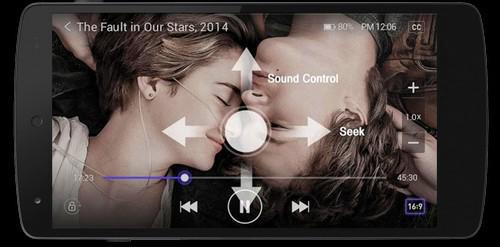
Bookmark : Bookmark on your wanted position to play.
High definition video playback: HD, 4K, 8K, UHD, Full HD playback.
Color adjustment: change brightness, contrast, hue, saturation, gamma information
Zoom in video: Zoom in and move the video you're watching
Section repeat: Repeat after section designation
Invert video: Invert left and right (mirror mode), upside down
Quick Button: Select and specify player options with one click
Popup Play: Pop-up windows that can be used with other apps
Equalizer: Use equalizer for music and video
Speed control: Playback speed control function up to 0.25 ~ 4 times
Beautiful UI: beautiful music and video playback UI
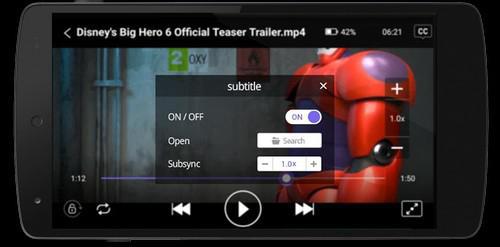
Subtitle Setting: Change subtitle color, size, position
Timer function: Video and music timer function
< Other Functions >
Sharing via Wi-Fi: Using Wi-Fi file transfer between a PC and mobile without a wired connection.
Search function: Search music and video you want
My List (Playlist): Create video and music playlist
Play URL: Play any video on web by entering a URL (Streaming)
External storage device support: Load external storage device (SD card / USB memory)
Network: Private server connection by FTP, UPNP, SMB, WebDAV
Cloud: Play music and content within Dropbox, OneDrive
Rate this app
Ratings & Reviews
No reviews yet.